Transcription without the fuss
Recently, I wanted to read a blog in text form rather than listen to it. In this case, it was CDT’s Tech Talks conversation between Sally Wentworth (ISOC CEO) and Alex Givens (CDT CEO). I often need audio or video in text form, or a bunch of text in a form I can listen to. There wasn’t a transcript with this episode, so I found the recording through the podcast feed and downloaded a copy.
I had been using Clipchamp—yes, that’s a real product made by Microsoft—to generate transcripts and subtitles from videos, but couldn’t figure out how to transcribe an audio file. I was tired of messing around just to get a transcript and wanted a command I could point at a recording and run the same way next time.
So I used Codex (OpenAI’s coding tool) to build transcribe, a small wrapper around FFmpeg and whisper.cpp. FFmpeg converts the recording into the audio format the recognizer needs; whisper.cpp runs a speech-recognition model locally and produces text and timestamps. After setup, running the command:
transcribe recording.m4a
produces plain text, .srt and .vtt subtitle files, and a record of how they were generated. It doesn't upload the recording or download anything during transcription.
Want to build your own? Use FFmpeg to decode audio into 16 kHz mono WAV, then whisper.cpp with a local Whisper model to generate text and SRT/VTT subtitles. The whisper.cpp README has build and usage instructions, including model downloads.
Comparing three models
Awesome, now I could chomp on audio or video and get text out. But which speech-recognition model should I use? Naturally, BAKE OFF TIME!!!
I compared the default small Whisper model with Whisper turbo and NVIDIA’s Parakeet on my M4 Mac mini, using a public four-person meeting from the AMI Meeting Corpus.
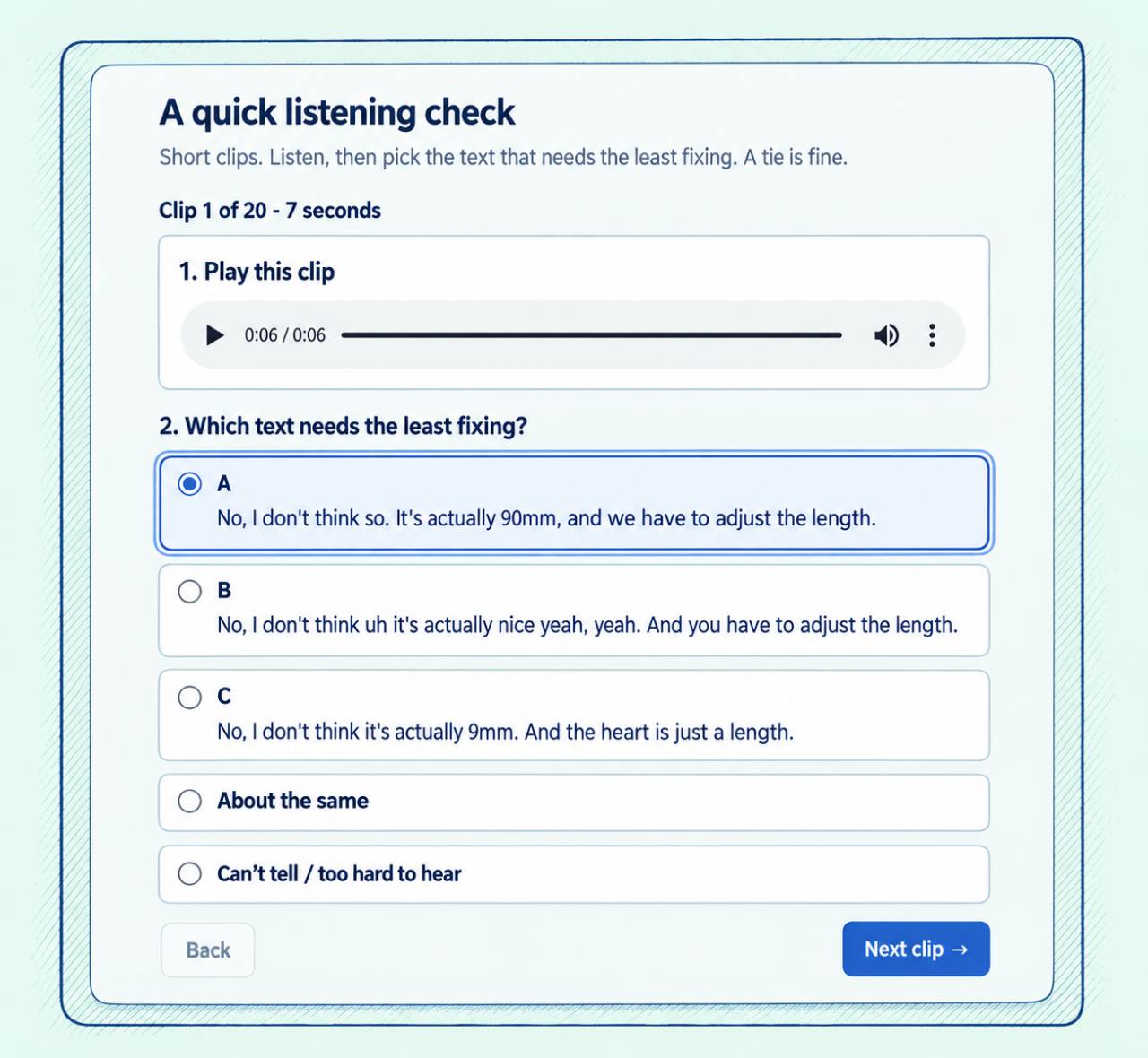
Comparing the generated transcripts against reference text put Parakeet ahead, but I wanted to listen and judge the differences myself. I reviewed short clips with three anonymously labeled transcripts, choosing which would need the least fixing.

A stylized view of the second listening round: 20 clips after an initial three. Full-size image. Audio: AMI Consortium, IS1000a, CC BY 4.0.
Here are the October 25 results. Lower word error rates mean fewer differences from the reference text; runtimes cover the complete 26-minute-23-second meeting.
| Model | Automatic word error rate | Clips I preferred | Full-meeting runtime |
|---|---|---|---|
| Whisper small | 35.11% | 10 | 40.05 seconds |
| Whisper turbo | 32.56% | 5 | 99.48 seconds |
| Parakeet | 28.22% | 4 | 67.44 seconds |
I preferred Whisper small most often in the listening review, with four clips coming out about the same. Since small was also fastest in the full-meeting runs, I kept it as the default. The appendix covers the different excerpts and methods used in the two comparisons.
What still needs work
My immediate goal was something I could read, but I’m also interested in making audio and video more accessible. For Deaf and hard-of-hearing viewers, captions need to convey relevant sounds as well as speech, and getting the words right is only part of making useful captions.
I’d eventually like this pipeline to produce transcripts and subtitles in other languages, identify who’s speaking, and generate descriptions of important visual information for blind and low-vision viewers—for example, when someone gestures toward a chart without explaining what’s on it. I’m still working on speaker identification, but translation and visual description are directions I’d like to explore too.
Methods appendix
Configurations. The October 25 comparison used a 10-core M4 Mac mini with 16 GB of RAM running macOS 27.0.1. Whisper small-q5_1 and large-v3-turbo-q5_0 ran through whisper.cpp 1.9.5. Parakeet TDT v3 Q8_0 ran through NeMo-Speech.cpp v0.2.0. Whisper used English, four CPU threads, beam size five, and best-of five. Parakeet retained its native thread defaults. Both engines used Metal acceleration. Inference processes ran sequentially with network access denied.
Audio and scoring. Every configuration received identical mono, 16 kHz, 16-bit PCM audio. The three automatic-scoring windows were 0–150, 375–495, and 1200–1380 seconds, totaling 7½ minutes. Word error rate counts substitutions, deletions, and insertions relative to the reference text. The references came from AMI’s manual annotations; I did not validate the extracted excerpts or their boundaries. Error counts were pooled over 900 reference words; punctuation and case were normalized, but numbers were not expanded and fillers were retained. Word error rate is not a percentage of words correctly transcribed. Each model/excerpt combination ran three times, producing identical JSON output hashes within that combination.
Listening review. An initial three clips were followed by twenty additional clips, totaling 23 clips and 171.91 seconds. The stylized figure is based on a screenshot of the first clip of the second round. Each transcript came from a fresh run on that short clip, not a slice of a longer transcript. Anonymous model ordering varied between clips. These clips differed from the longer excerpts used for automatic scoring. There was one reviewer, no timed editing, and no corrected reference transcript. Fifteen of the twenty second-round clips featured one speaker, and some clips were adjacent.
Timing. The full-meeting measurements include process startup, model loading, inference, and output writing, but exclude conversion and validation. Parakeet wrote JSON; Whisper wrote four formats. Those output costs remain included. Each model ran once; turbo ran later, and cache state and host load were uncontrolled.
Output validation. On one 180-second excerpt, small’s final subtitle cue ended at 181.48 seconds in all three repetitions. That exceeds the wrapper’s one-second allowance, so transcribe would reject the output. The defect remains unresolved. All three full-meeting runs passed their applicable structural checks, which do not establish transcription quality or audible timing accuracy.
Corpus limits and attribution. AMI meeting IS1000a uses mixed close-talking headsets and is marked as training data by AMI; overlap with the models’ training data is unknown. This is not a test on established unseen data. Audio was excerpted and decoded, and comparison transcripts were generated. Source: AMI Meeting Corpus, AMI Consortium, licensed CC BY 4.0.