My Mac is sick... sort of (loose AirPort Card)
Moral: If you don't buy AppleCare when you buy a Mac, you're a freakin' idiot.
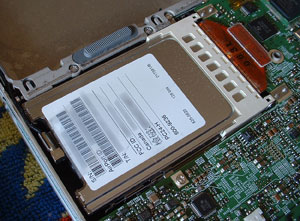
UPDATE [2005-03-05 15:12:19]: I removed the AirPort Card entirely and now no longer have this problem. However, I now no longer have wireless capability. I'm not sure if the problem is in the AirPort Card or the interface that it sits in (a PCMCIA like thing with an antenna plug at the opposite end).
UPDATE [2005-03-05 10:05:43]: Well, I had thought that this fixed my Mac, but, alas, it did not. The next thing I will try is removing the AirPort Card entirely.
I've been having this weird problem where my Powerbook won't wake from sleep. Then, when I hold down the power button and reboot, it hangs during boot-up! Specifically, it seems to be having a problem with the part of boot-up that concerns something called CHUDProf.kext which I take to be a kernel extension of some sort.
Temporary Solution: Turn the bastard off, reset the PMU, unplug all cables, restart holding down Cmd-V (to see what the hell is going on) and cross all my fingers and toes. This seems to work but now I have to carry a freakin' screwdriver around to get access to the PMU under the keyboard!
Permanent Solution: Ah, so I figured this out (I think). I saw a bunch of indications in various places on the net that a loose AirPort Card can cause frequent hangs during boot-up. It was time to figure out how to open my Powerbook up.
How they hell do you open the Powerbook up and remove the AirPort card? Luckily, in this respect Apple's got our backs. Basically, you follow the directions posted here in PDF form : "AirPort Card: Replacement Instructions". (You'll need a Torx screwdriver instead of the phillips head mentioned in the directions... If you have an iBook, you'll want to go here: "iBook: Installing or Replacing the AirPort Card".)
After carefully removing the bottom case and the AirPort Card, I reinstalled the AirPort card and made sure that everything was quite snug (but not too snug!). Then, the moment of truth... I booted up (pressing Cmd-V to see the messages) and it shot past the point at which it was hanging.